
You can buy a computer mouse at Amazon, Newegg, B&H, eBay, or straight from the brand online, and in person at Best Buy, Micro Center, Staples, Office Depot, Walmart, and Target. The store matters less than the fit. Hand length and grip style decide whether your hand still feels fine four hours in, so measure first, then buy where you can either hold the shape or return it after a week of real use.
This page contains affiliate links. We may earn a commission at no extra cost to you.
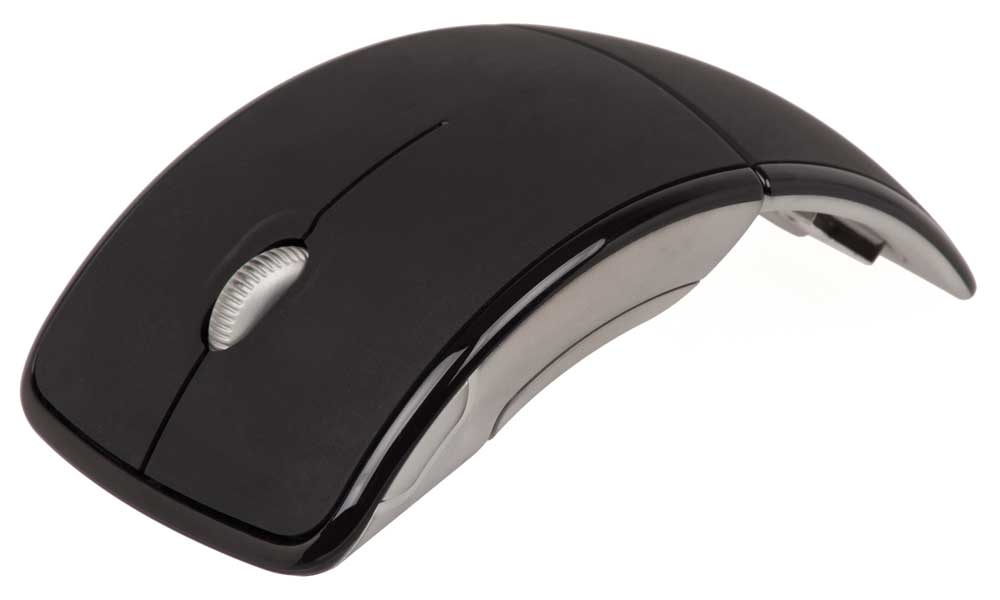
A computer mouse is a handheld pointing device that converts hand movement into cursor movement on screen, reading the surface beneath it with an optical sensor. Every desktop computer needs one, and so does a docked laptop doing precision work like spreadsheets, photo retouching, or CAD. A Mac, a Windows PC, a Chromebook, an older personal computer, even an iPad or another tablet computer will pair with most current units, so your hand is the real constraint.
Sizing a Computer Mouse to Your Hand: A Worked Example
Hand length is measured on the palm side, hand flat, from the first crease at the base of the palm (where it meets the wrist) to the tip of the middle finger. Logitech publishes three bands on its hand-size guide, and Contour Design, maker of the Perfit ergonomic line, publishes four. They do not line up exactly.
| Hand length | Logitech band | Contour Perfit band |
|---|---|---|
| Under 17 cm | Small | Small |
| 17 to 17.5 cm | Small | Medium |
| 17.5 to 19 cm | Medium | Medium |
| 19 to 21 cm | Large | Large |
| 21 cm or more | Large | Extra large |
How to check fit before you commit
- Measure your hand from the first wrist crease to the middle fingertip with the hand flat. A reading of 18.2 cm is medium on both charts, so most full-size office shapes are in range.
- Check the border cases. A 17.2 cm hand is small on Logitech’s chart and medium on Contour’s, which means the right size depends on the brand’s own chart, not a universal one. Contour advises sizing up for a thin hand and down for a thick palm.
- Name your grip by watching how you hold the one you own now, then shortlist shapes that suit it.
Grip style changes the answer. Three grips exist: palm (whole hand flat on the shell), claw (fingers arched, heel of the palm down), and fingertip (only the tips touch). Palm users want a longer, fuller body; claw and fingertip users want something shorter and flatter, so that 18.2 cm hand in a fingertip grip may prefer a small-hand shape. In a store aisle, run Logitech’s checks: fingers reach the buttons and scroll wheel without stretching, and the palm is supported. If your palm drags on the desk, go bigger.
Wired, 2.4 GHz, or Bluetooth?
Pick the connection second, after the shape. A wire is the simplest answer, drawing power from the port with no pairing to lose, at the cost of a cord on the desk. A wireless mouse on a 2.4 GHz USB receiver, which broadcasts on the ISM radio band, clears the desk with latency most people cannot feel. Bluetooth drops the dongle, a win on laptops short on ports, though it reconnects more slowly. On a newer laptop, check whether the receiver is USB-A or USB-C.
Power and charging. Cordless models run on a replaceable electric battery or a built-in rechargeable cell topped up over USB-C. Battery life claims range from weeks to years, so read the runtime figure for the exact model.
Software and onboard memory. Programmable buttons only help if the software runs on your OS. Profiles stored in on-board memory travel between computers with no install; without it, extra buttons revert to defaults on locked-down work machines. Check compatibility before paying for customization.
Upright, Trackball, or Flat: What OSHA and Cornell Advise
Ergonomics is the practice of shaping tools around the body. Vertical mice hold the hand in a handshake position; a trackball keeps the housing still and moves a ball under the thumb. Neither treats an injury, but both change posture, which is why people with desk strain try them.
The OSHA Computer Workstations eTool (from the federal Occupational Safety and Health Administration) says to keep the pointing device close to the keyboard, hold a straight and neutral wrist, avoid gripping it tightly, and set sensitivity so a light touch controls it. It adds that a trackball or touchpad may be less fatiguing for certain tasks, and says to test a new device before committing.
Cornell University’s ergonomics group adds technique: move from the elbow, not the wrist, place the device just above elbow height, and pick a shape that fits but is as flat as possible. The two disagree on one point. OSHA suggests a palm or wrist rest can help keep the wrist neutral, while Cornell’s mouse tips advise against resting the wrist on a support during use. If a rest feels like it pins your forearm, follow Cornell and let the arm move.
Pair any shape with a sensible desk height: the guide to choosing a computer desk covers that math, a seat with adjustable arms from the office chair buying guide sets elbow height, and a lap desk handles the couch.
Where to Hold One Before You Pay
Shopping in person buys you one thing: holding the shape before you pay.
Best Buy and Micro Center
Best Buy runs the deepest in-person peripheral selection of any national chain. Look in the computing accessories aisle, beside the computer keyboard wall, where wired basics sit next to premium models from Logitech, Razer, and Corsair. Browse their selection and check local stock first. Micro Center goes deeper still on gaming and enthusiast shapes, though it runs only about 30 stores nationwide.
Staples, Office Depot, and OfficeMax
Office supply stores are the underrated option. Their assortment leans toward desk work rather than gaming, so quiet-click and wrist-friendly designs are easier to find here. Call ahead about a model, since floor space is limited. Costco carries a rotating handful of bundles. The guide to mechanical keyboard options covers the other half of the desk.
Walmart and Target
Walmart’s electronics department stocks affordable options next to cables: the house-brand Onn line plus Logitech and HP. Check availability on their site, or order for store pickup. Target keeps a smaller assortment of mainstream brands and compact travel shapes, and what is on the peg tracks store size, so check the app first.
Ordering a Mouse Online: Where and Why
Online carries the selection: hundreds of shapes, filters for connection type, and reviews that cover what spec sheets leave out.
Amazon
Amazon, the largest online retailer in the United States, carries the broadest variety of mice in one place, from basic USB units to premium wireless gaming gear. Reviews are the useful part, because complaints about click feel and coating wear surface nowhere else. Shop the full selection and sort by review count rather than star rating.
Newegg and B&H
Newegg specializes in computer hardware, so its filtering suits people who know what they want, and it is the easiest place to order a pointer alongside the rest of a build. The rundown of where to source computer parts pairs with it. B&H is the other specialist, deeper on creative peripherals. Browse the Newegg catalog for niche models.
eBay and manufacturer stores
eBay is where discontinued shapes go. If the model that fit your hand was replaced by a bigger redesign, this is the way to find another. Read the seller rating and return terms first. See current listings before paying new prices. Buying direct from Logitech, Razer, Corsair, SteelSeries, or Apple gets the full lineup, including colors resellers skip, and simplifies warranty claims.
Return Windows: Which Stores Let You Test at Home
Fit cannot be judged through blister packaging, so the return window matters. These are published standard terms as of October 2026; confirm on the retailer’s page.
| Retailer | Standard window | Practical note |
|---|---|---|
| Amazon | 30 days on most items sold by Amazon | Third-party sellers set their own terms |
| Best Buy | 15 days standard | 60 days for My Best Buy Plus and Total members |
| Micro Center | 30 days for mice and keyboards | New condition with original packaging |
| Newegg | 30 days on items sold and shipped by Newegg | Marketplace sellers set their own fees and terms |
| Walmart | 30 days on most electronics | Marketplace items can differ |
| Staples | 14 days on technology items | The shortest window here, so test fast |
The gotcha: marketplace sellers on Amazon, Newegg, and Walmart can charge restocking fees the store itself does not. Torn between two shapes? Buy both from the longest window above and return one.
Mistakes That Lead to a Second Purchase
The costliest mistake is paying for specs you never enable while ignoring the shape you hold daily.
- Chasing the DPI number. DPI is the sensitivity setting, and spec-sheet ceilings are marketing. Stable tracking at a moderate setting beats jittery tracking at maximum.
- Assuming a left-handed version exists. Genuinely ambidextrous shapes are scarce, and most ergonomic and gaming designs are right-handed only. Filter for symmetrical bodies first.
- Cheapest-available syndrome. Bargain units usually give out at the switch, which shows up as one press registering as two clicks. Buying twice costs more than buying once.
Computer Mouse Picks by Hand Size and Job
No single best computer mouse fits every hand; these five cover the main shapes and have long production runs. Prices move often, so check the listing.
Best overall: Logitech MX Master 4. The flagship of Logitech’s productivity line and the model Logitech’s own hand-size guide points large hands toward. It adds haptic feedback and an Actions Ring shortcut button, and pairs directly or through the bundled USB-C Logi Bolt receiver, with battery life rated up to 70 days per charge. Check price on Amazon
Best budget: Logitech M705 Marathon. A long-running contoured wireless model built for right-handed users, on two AA batteries rated for up to three years, aimed at full-day office use with a receiver that stays plugged in. Check price on Amazon
Best for gaming: Logitech G502 Hero. A heavier wired gaming mouse with a thumb rest, five removable 3.6 g weights, and on-device profiles. It pairs with the builds in the gaming computer guide. Check price on Amazon
Best for wrist position: Logitech MX Vertical. An upright body set at a 57-degree angle that holds the hand in a handshake position instead of flat. Connects over a receiver, a cable, or Bluetooth, and charges over USB-C. Check price on Amazon
Best compact: Logitech Pop Mouse. A compact wireless mouse: small, light, loud in color, sized for fingertip grip, and the most portable of the five. Check price on Amazon
Also worth comparing: the MX Master 3S, predecessor to the 4, shares its sensor but uses a USB-A receiver and lacks haptics. The MX Ergo S trackball suits anyone who wants to stop moving their arm, and Apple’s Magic Mouse suits Mac desks.
Start by measuring your hand and naming your grip, which rules out most of the catalog. Then pick the connection: a cable for zero fuss, a 2.4 GHz receiver for a clean desk, Bluetooth if your ports are full. Hold the computer mouse that matches at Best Buy, Micro Center, or Staples if one is nearby, or order from the retailer with the longest return window, use it for a workweek, and send it back if your hand disagrees.
FAQ: Buying a Computer Mouse
Is a mouse actually better than a laptop trackpad?
For precision tasks, yes. A trackpad wins on gestures and takes no desk space, but it needs repeated finger lifts on long drags, which is why editors and CAD users switch.
Can mousing cause wrist pain, and does an upright shape fix it?
Awkward wrist posture, a tight grip, and long reaches are the risk factors OSHA’s eTool lists, and an upright or trackball design changes posture without treating any condition. Start with placement and technique: keep the device close, move from the elbow, and grip lightly. An ergonomic mouse is a posture tool; persistent numbness or pain is a question for a clinician.
Will a PC mouse work on a Mac?
Almost always. Clicking, scrolling, and cursor movement work on macOS with no setup. Per-application profiles need the manufacturer’s utility, which major brands publish for both operating systems. Scroll direction is a macOS preference, not a hardware limit.
Can one be repaired, or should you just replace it?
Sometimes. A worn switch that double-clicks can be swapped by anyone comfortable with a soldering iron, and replacement feet pads and scroll wheels are sold for popular models. Sealed budget designs are rarely worth the effort. Replace rather than repair once the cursor jumps on a clean surface.
Editorial review: wheretobuyguides.com team. Return windows reflect each retailer’s published policy as of October 2026.