
Finding the right computer mouse can feel overwhelming when you consider how many options are available today. Whether you need a basic office model, an ergonomic option to reduce wrist strain, or a high-performance gaming mouse with adjustable sensitivity, knowing where to buy and what to look for makes all the difference. This guide covers the best places to shop for computer mice both in store and online, what features matter most, and common mistakes to avoid before you spend your money.
This page contains affiliate links. We may earn a commission at no extra cost to you.
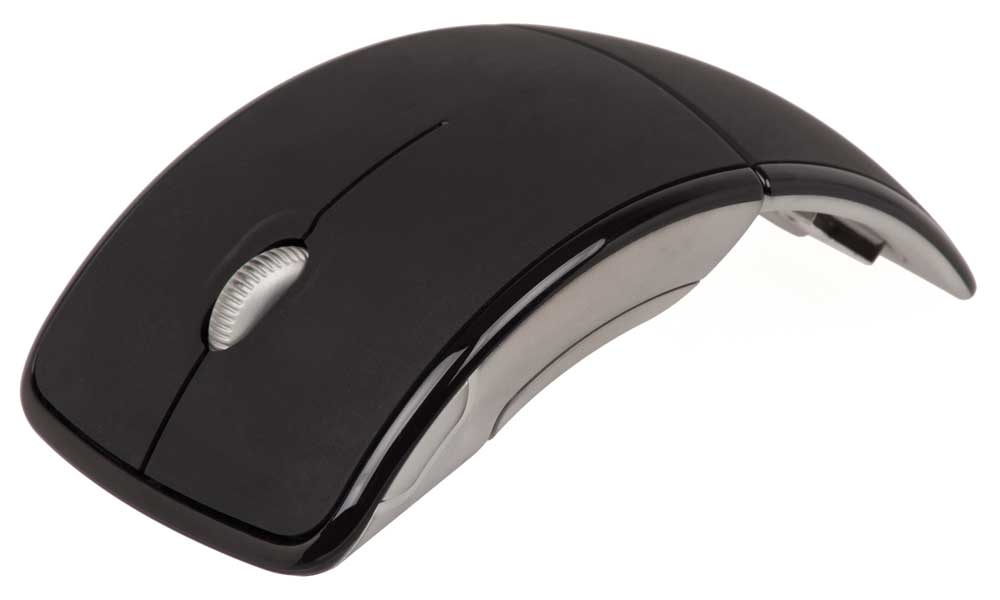
What Is a Computer Mouse and Who Needs One
A computer mouse is a handheld input device that lets you navigate your screen, select items, and interact with software. Nearly everyone who uses a desktop computer or laptop with a docking station needs one. Gamers rely on mice with high-sensitivity sensors and programmable buttons for precision control. Office workers benefit from ergonomic designs that reduce repetitive strain over long hours. Creative professionals such as graphic designers and video editors need precise tracking and customizable controls. Students, remote workers, and casual users all gain better productivity and comfort compared to using a trackpad alone. Whether you use a PC, Mac, or Chromebook, a dedicated device is one of the most practical upgrades you can make to your setup.
What to Look For: Features and Buying Criteria
Connection type. Wireless mouse options use either Bluetooth or a 2.4 GHz USB receiver for a cable-free desk. A wired mouse connects through a standard port and offers zero-latency response, which competitive gamers prefer. Some models support both wired and wireless connectivity so you can switch depending on the situation.
Sensor and sensitivity. DPI measures how responsive the sensor is to movement. A standard office model runs around 800 to 1600, which is comfortable for everyday tasks. A gaming mouse may reach 25,600 for fast-twitch shooters, though most players settle between 400 and 1600. Look for adjustable settings so you can dial in the exact level you prefer.
Ergonomic design. Vertical mice position your hand in a handshake grip to reduce wrist strain. Standard contoured shapes work well for palm grip users, while compact models suit claw grip or fingertip grip styles. If you spend several hours a day at a computer, choosing a comfortable shape can help prevent discomfort over time.
Battery life and charging. Wireless models vary widely here. Some Logitech options run up to 24 months on a single AA battery. Rechargeable mice charge through a cable and last anywhere from a few weeks to several months per charge. Check battery life specs before buying so you are not stuck with a dead device mid-workday.
Programmable buttons. Gaming and productivity mice often include 6 programmable buttons or more. These let you assign macros, shortcuts, or application-specific functions. Models like the Logitech G502 offer on-board memory so your profiles travel between machines.
Compatibility. Most mice work across Windows, macOS, and Chrome OS, but check the specs for your operating system. Some features like custom software profiles may be limited to certain platforms. Mac users should verify that trackpad emulation and button mapping work as expected, since the Magic Mouse handles gestures differently than third-party options.
What to Avoid When Buying a Computer Mouse
Choosing based on price alone. The cheapest mice often use low-quality switches that wear out quickly, mushy scroll wheels, and imprecise sensors. Spending a few extra dollars on a reputable brand saves frustration and replacement costs down the line.
Ignoring grip style. A large palm-grip model feels terrible for someone who uses a claw or fingertip hold. Try to match the shape and size to how you naturally rest your hand. If you cannot test in person, check the dimensions and compare them to your current device.
Overlooking wireless lag. Budget cordless models sometimes introduce noticeable input delay. For gaming or design work, look for mice that specify low-latency wireless connectivity or stick with a wired connection instead.
Skipping the return policy. Comfort is subjective. A device that earns glowing reviews may not fit your hand. Buy from retailers that accept returns on opened peripherals so you can test at home without risk.
Falling for inflated sensitivity numbers. Marketing materials love to advertise ultra-high values, but most users never go above 3200. A responsive sensor at a moderate setting matters more than a sky-high number you will never use.
Where to Buy a Computer Mouse In Store
Best Buy
Best Buy carries one of the widest in-store selections of computer mice in the country. You will find everything from basic wired models to premium wireless options from Logitech, Razer, and Corsair. Head to the computing accessories aisle or ask a staff member to point you toward the peripheral display. Many locations have demo units so you can test the grip and button layout before purchasing. Best Buy also offers a price match guarantee. Browse their selection online to check local availability before making the trip.
Walmart
The electronics department at Walmart stocks a solid range of affordable computer mice alongside keyboards and other peripherals. You will typically find budget-friendly options from Logitech, Onn, and HP on the shelf. Walmart Supercenters tend to carry more variety than smaller Neighborhood Market locations. You can also order online for in-store pickup if you want a specific model. Check availability on their site to see what your local store has in stock.
Target
Target carries a curated selection of computer mice in the tech accessories section, usually near the laptops and tablets. The selection leans toward mainstream brands like Logitech and HP, with a handful of compact travel-friendly options. Availability varies by store size, so it helps to check the Target app or website before you go.
Staples and Office Depot
Office supply stores are an underrated source for reliable computer mice. Staples and Office Depot both stock wired and wireless models geared toward productivity. If you are outfitting a home office or buying in bulk for a workplace, these stores often have multi-packs and business-oriented peripherals you will not find at general retailers. Call ahead to confirm stock on specific models.
Where to Buy a Computer Mouse Online
Amazon
Amazon has the largest online selection of computer mice available, covering every category from budget USB models to premium wireless gaming peripherals. Verified buyer reviews and comparison charts make it easy to narrow your choices. Prime members get fast free shipping on most items. Shop the full selection to compare prices and ratings across hundreds of options.
Newegg
Newegg specializes in computer hardware and peripherals, making it a strong choice for shoppers who want detailed specs and enthusiast-level filtering. You can sort by sensor type, connectivity, brand, and more. Newegg often runs flash sales and combo deals that bundle a device with a mousepad or keyboard. Browse their catalog for competitive pricing on niche and mainstream models alike.
eBay
eBay is worth checking if you are hunting for a discontinued model, a collectible limited edition, or a lightly used device at a lower price. Both new and pre-owned listings are available from individual sellers and authorized resellers. Always check seller ratings and return policies before purchasing. See current listings to compare deals.
Manufacturer Websites
Buying directly from brands like Logitech or Razer often gives you access to exclusive colorways, bundle deals, and extended warranty options that third-party retailers do not carry. Manufacturer sites also tend to list the full product lineup including models that may be out of stock elsewhere.
Top Picks
Best overall: Logitech MX Master 4. The latest in Logitech’s flagship productivity line features a high-precision sensor, MagSpeed scroll wheel, and USB-C rechargeable battery that lasts up to 70 days. Works seamlessly across PC and Mac with Bluetooth or the included USB receiver. Around $100 to $130.
Best budget: Logitech M705 Marathon. This wireless option runs for up to three years on two AA batteries and includes a comfortable contoured shape for long work sessions. A reliable everyday pick for under $40.
Best for gaming: Logitech G502 Hero. Features the Hero 25K sensor with adjustable sensitivity up to 25,600, 11 programmable buttons, and on-board memory for custom profiles. A popular choice among competitive players. Around $35 to $50.
Best ergonomic: Logitech MX Vertical. Designed with a 57-degree angled shape to reduce wrist strain and forearm pressure. Connects wirelessly through a 2.4 GHz dongle or cable. Ideal for users dealing with repetitive stress. Around $75 to $100.
Best compact: Logitech Pop Mouse. A small, portable wireless option with a fun design and silent clicks. Great for students and travelers who need something lightweight for a laptop. Around $25 to $35.
Frequently Asked Questions
What is a good computer mouse for everyday use?
For general office work and web browsing, a wireless model with a comfortable shape and reliable scroll wheel is all most people need. The Logitech M705 Marathon and MX Master series are consistently top-rated options that balance comfort, battery life, and features without being overcomplicated.
Can a computer mouse cause wrist pain?
Yes. Using a poorly shaped device for extended periods can contribute to wrist strain, carpal tunnel symptoms, and shoulder discomfort. Switching to an ergonomic or vertical design distributes pressure more evenly and encourages a neutral hand position. Taking breaks and adjusting your desk height also helps.
Is a wireless mouse as responsive as a wired one?
Modern wireless mice using 2.4 GHz receivers offer latency comparable to wired connections for most tasks. Low-energy wireless models may have slightly higher lag, which can matter in competitive gaming. For office work, browsing, and casual play, the difference is unnoticeable.
Will a PC mouse work on a Mac?
Most computer mice are compatible with both PC and Mac right out of the box. Basic functions like clicking and scrolling work universally. Some advanced features like custom button profiles may require downloading the manufacturer’s software, which is usually available for both operating systems.
How often should you replace a computer mouse?
Most quality mice last three to five years with regular daily use. Signs it is time to replace include double-clicking issues, a jittery cursor, worn-out feet pads, or a wheel that skips when scrolling. Heavy gamers who put thousands of hours into their device may need to replace it sooner.
Do computer mice need batteries?
Wired mice draw power through the cable and never need batteries. Wireless models either use disposable batteries, typically AA or AAA, or have a built-in rechargeable battery charged through a cable. Battery life varies from a few weeks to over two years depending on the model and usage.
Reviewed by the wheretobuyguides.com editorial team. Last updated: March 2026.
Whether you pick up a simple wired option at your local store or order a feature-packed wireless computer mouse online, the right device makes every click more comfortable and every task more efficient. Take the time to match the shape, sensor, and connectivity to how you actually work, and you will notice the difference immediately.