
Finding the right computer desk can make or break your daily productivity. Whether you work from home, game for hours, or just need a dedicated spot for your laptop and monitor, the desk you choose affects your posture, your focus, and how well your setup functions. Knowing where to buy and what to look for before you commit saves both money and the hassle of returning a piece of furniture that looked great online but does not fit your room. This guide covers the desk features that matter, the retailers worth visiting, and the specific models that deliver the best value across every price range.
This page contains affiliate links. We may earn a commission at no extra cost to you.
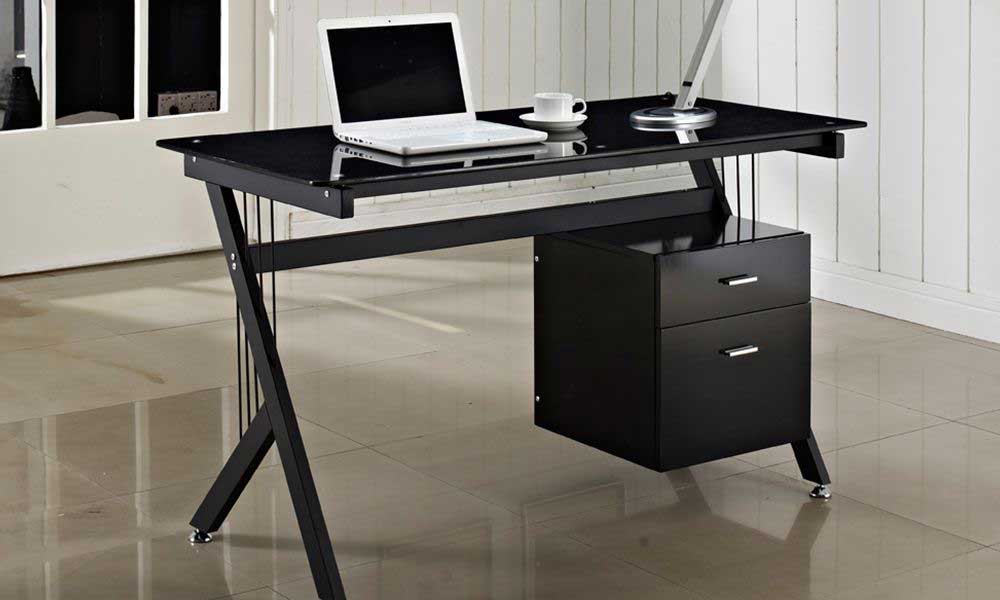
What Are Computer Desks and Who Needs One
A computer desk is a piece of furniture designed specifically to hold a monitor, keyboard, mouse, and related peripherals at a comfortable working height. Unlike a generic table, a dedicated workstation includes features like cable management cutouts, keyboard trays, and compartments sized for a desktop tower or laptop docking station. Anyone who spends more than an hour a day at a screen benefits from a proper setup — remote workers, students, gamers, and hobbyists alike. Even if you primarily use a laptop, pairing it with an external display on a well-organized surface reduces neck strain and keeps your work area clutter-free. The standard height for a computer desk is roughly 28 to 30 inches, which places the screen at eye level for most adults when paired with an ergonomic chair.
What to Look For: Features and Buying Criteria
Surface area and shape. Measure your available space first. A standard rectangular model works for most rooms, but an L-shaped desk fits neatly into a corner and gives you extra surface for multi-monitor setups or paperwork. Small spaces benefit from compact models around 40 inches wide, while a large desk surface calls for 60 inches or more.
Material and build quality. Engineered wood with a laminate finish is the most common and affordable option, while solid wood tops offer durability and a premium look. A sturdy metal frame adds stability, especially on taller or height-adjustable models. Avoid thin particleboard if you plan to load the surface with heavy equipment.
Storage and organization. Drawers, a hutch, open shelves, and a filing cabinet underneath keep your desk area tidy. A model with a built-in drawer is ideal for stashing pens, chargers, and notebooks. If you need to store documents, look for one with a file drawer sized for hanging folders.
Cable management. Grommets and routing channels keep power cords and USB cables out of sight. This small detail makes a surprising difference in how clean your setup looks and how easy it is to maintain.
Adjustability. A height-adjustable standing desk lets you alternate between sitting and standing throughout the day, which is a significant ergonomic upgrade. Electric models with preset heights make the transition seamless. Even a basic adjustable riser placed on top of a fixed-height model can help.
Weight capacity. Confirm the rated load, especially if you use a heavy monitor arm, multiple displays, or a full desktop tower. Most budget models support 100 to 150 pounds; heavier builds handle 200 pounds or more.
What to Avoid When Buying Computer Desks
Buying based on looks alone. A sleek glass-top model photographs well but scratches easily, shows fingerprints, and can wobble under load. Prioritize structural stability over aesthetics, especially for everyday use.
Ignoring the actual dimensions. Online listings sometimes show a piece in a large, staged room that makes it look compact. Always compare the listed width, depth, and height against your available floor space and the clearance needed for your chair to roll back comfortably.
Skipping assembly reviews. Some flat-pack furniture arrives with unclear instructions and low-quality hardware. Read buyer reviews that specifically mention the desk assembly process before ordering, and budget an extra hour beyond the estimated build time.
Overlooking ergonomic height. A surface that is too high or too low forces awkward posture that leads to wrist, shoulder, and back pain over time. The ideal working height places your elbows at roughly a 90-degree angle when typing. If you are between standard sizes, a height-adjustable model is the safest choice.
Choosing the cheapest option without checking reviews. Ultra-budget models under $50 often use flimsy hardware and warped panels. Spending a little more — even $80 to $120 — typically gets you noticeably better build quality and longer life.
Where to Buy Computer Desks In Store
Seeing a piece in person lets you test the surface finish, wiggle the frame for stability, and confirm that it fits your body. These retailers stock a solid selection you can evaluate before committing.
IKEA
IKEA remains one of the best destinations for affordable home office furniture. Their showroom layouts let you see full workspace setups — complete with monitor stands, drawer units, and cable trays — so you can visualize exactly how each desk fits together. Popular lines like BEKANT (sit-stand) and MICKE (compact with storage) cover most budgets. Find their current selection on the IKEA workspace page.
Staples
As the largest office supply chain in the United States, Staples carries a wide range of office desks, chairs, and other furniture in most locations. The furniture section is usually in the back of the store behind the electronics displays. You can sit in the chairs and test the height of each model on the floor. Even if you need a setup for home rather than a workplace, this is a practical stop for hands-on comparison. Browse their selection here.
Best Buy
Best Buy stocks a curated collection of gaming and home office desk options both online and in select stores. Their in-store displays tend to focus on higher-end gaming setups with LED lights and built-in cable channels. You can check current availability on their furniture page.
Walmart and Target
Both Walmart and Target carry budget-friendly models in the furniture aisle, typically ranging from $60 to $200. Desk selection varies by location, so calling ahead to confirm stock is worth the effort. Walmart’s online inventory is larger than what most stores display on the floor, so check availability for in-store pickup if you prefer to avoid shipping a heavy item.
Where to Buy Computer Desks Online
Online shopping gives you access to hundreds of styles, sizes, and price points that no single store could stock. The trade-off is that you cannot touch the surface or test stability, so relying on detailed desk reviews and return policies is essential.
Amazon
Amazon offers the widest variety at virtually every price tier. You can filter by size, style, material, and customer rating to narrow down your options quickly. Prime members often get free two-day shipping, which is a major advantage for a bulky furniture item. Start browsing on their furniture category page. #ad
Wayfair
Wayfair specializes in home furnishings and carries one of the deepest selections of office desks and furniture online. They frequently run sales, and many items ship free. Their desk product pages include room photos from verified buyers, which helps you see the actual finish and scale in a real home office rather than a studio setup.
eBay
eBay is a solid option if you want a deal on a used or overstock model. You can filter results by distance and choose local pickup to skip shipping costs entirely, which is especially helpful for heavy furniture. Check the seller rating and return policy before committing. Browse current listings on the eBay listing page.
Overstock
Overstock sells surplus, returned, and previous-season furniture at reduced prices. You can find name-brand desk models marked down significantly. Keep an eye on their clearance section for the steepest discounts. See what is available on their category page.
Top Picks for Computer Desks
Best overall: SHW Home Office 55-Inch Large Workstation. A spacious rectangular surface with a sturdy metal frame and cable management grommets. Simple to assemble and stable enough for a dual-monitor setup. Around $70 to $90 on Amazon.
Best budget: CubiCubi 40-Inch Compact Writing Desk. A clean modern design with a built-in storage bag on the side and a metal frame that stays wobble-free. Under $50 — hard to beat for a small space or dorm room.
Best L-shaped: GreenForest L-Shaped Corner Desk. Fits neatly into a corner and provides two long work surfaces for multi-monitor or dual-purpose setups. Includes a small shelf beneath for a CPU stand or books. Around $100 to $130.
Best standing option: FlexiSpot E7 Electric Standing Desk. A height-adjustable electric model with a solid wood top and smooth motor that transitions quietly between sitting and standing positions. Three preset heights make daily use effortless. Around $400 to $500.
Best for gaming: Atlantic Gaming Original Gaming Desk. A purpose-built gaming desk with a built-in monitor stand, headphone hook, cable routing, and a cup holder. Designed for a single large monitor or ultra-wide setup. Around $100 to $140.
Frequently Asked Questions
What are good dimensions for a computer desk?
For a single-monitor setup, a surface around 48 inches wide and 24 inches deep is comfortable. Dual-monitor users should look for at least 55 inches of width. Depth matters more than many buyers realize — anything under 20 inches puts the screen uncomfortably close. Height should be 28 to 30 inches for most adults when seated in a standard office chair.
What is the difference between a writing desk and a computer desk?
A writing desk is typically slimmer, lighter, and designed for pen-and-paper tasks or a laptop. It rarely includes cable management, a keyboard tray, or dedicated storage for peripherals. A computer desk is built deeper and sturdier to support heavier equipment like monitors, towers, and multi-device setups.
How much do computer desks cost?
Basic models start around $40 to $60. Mid-range options with features like drawers, a hutch, or an L-shaped layout run $100 to $250. Premium standing models and executive-style pieces can cost $400 or more. Buying during holiday sales or from overstock retailers often knocks 20 to 30 percent off list prices.
Is it better to put a PC on the desk or the floor?
Placing a desktop tower on the floor exposes it to more dust and pet hair, which can clog fans and shorten component life. A CPU stand or a shelf beneath the surface keeps the tower off the carpet while freeing up your work area. If floor placement is the only option, use a small riser to maintain airflow underneath.
Does Costco sell computer desks?
Yes. Costco stocks a rotating selection of home office furniture both in-warehouse and online. Their in-store options tend to be mid-range to premium pieces from brands like Bayside Furnishings and Tresanti. Online inventory is broader and occasionally includes electric standing models at competitive member pricing.
Where is the best place to put a computer desk in a house?
A dedicated home office or a quiet corner of a bedroom works best. Position the surface so that natural light comes from the side rather than directly behind or in front of the screen to reduce glare. Avoid placing your desk in high-traffic areas like the kitchen or living room if you need focused work time.
Reviewed by the wheretobuyguides.com editorial team. Last updated: March 2026.
Whether you shop in store to test stability firsthand or browse online for the widest selection, the right computer desk turns a cluttered surface into a productive desk setup worth sitting down at every day.